ALIGURU Telegram Bot for AliExpress Discounts: Coins, Big Save & Super Deals
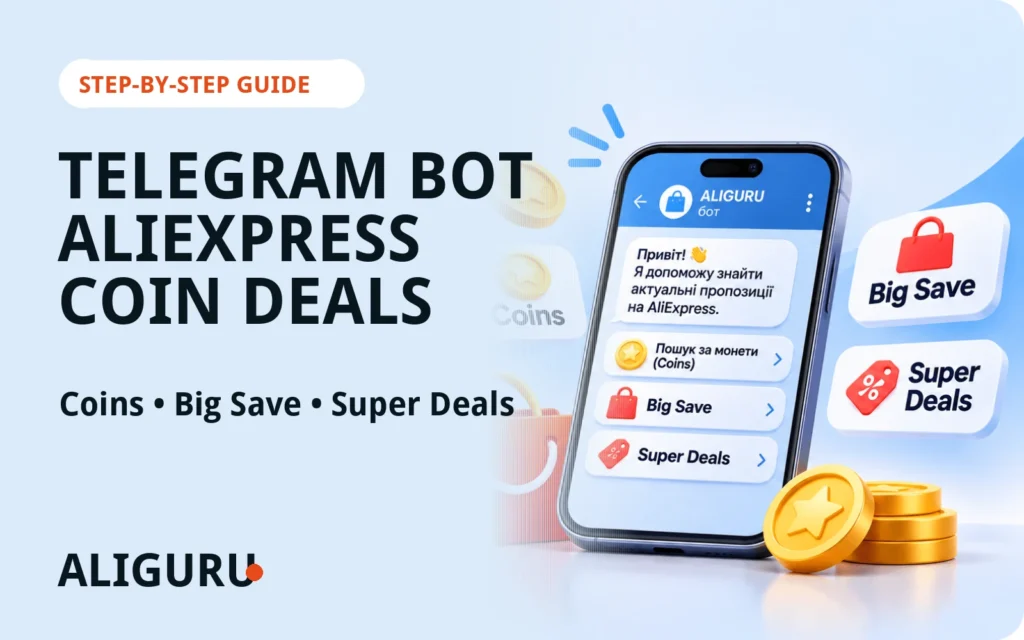
Found an item on AliExpress and wondering whether your coins could lower its price? Before paying, try the free ALIGURU Telegram bot. Send the product link and check available shopping paths through Coins, Big Save and Super Deals. Compare the final totals instead of trusting a headline percentage.
For a meaningful comparison, keep the product variant, quantity, seller and shipping method the same. A label saying “up to XX% off” does not guarantee that discount for your account. We built this tool so you can check your options without searching through every promotion manually.
Check AliExpress coin discounts
Copy a product link from AliExpress and send it to our Telegram bot. All you need is Telegram.
What can the ALIGURU bot do?
ALIGURU is a discount-link generator for AliExpress shoppers. Its menu offers Product Page, Coins, Big Save and Super Deals options for the same item. Whether an offer actually applies depends on the item, country, AliExpress promotion rules and your account.
- Coins: Check a shopping route where the coins you already have may unlock an extra discount.
- Big Save: Look for an eligible special offer on the same product.
- Super Deals: Compare a possible promotional price with the standard listing.
- Product Page: Use the ordinary listing as a baseline for the price and shipping costs.
Important: the bot does not create or credit AliExpress coins, and it cannot promise a particular percentage off. AliExpress decides which discounts are available and shows the actual payable total at checkout.
How to check coin discounts in four steps
- Copy the product link. Open an AliExpress item and use Share to copy its URL.
- Send it to the bot. Visit @aliguruofficial_bot, press Start and paste the link.
- Choose a shopping path. Check the Coins, Big Save, Super Deals and ordinary product links returned by the generator.
- Compare the checkout totals. Choose identical variants, check shipping and eligible coupons, and read the final total before confirming payment.
Why does the Coins discount disappear from the cart?
A Coins discount can depend on how you opened the item. Adding it to a normal cart may reduce or remove that offer. For some products, you need to follow the special link and choose Buy Now → Continue to see whether coins apply. Always inspect the final total before paying.
If no coins are deducted, check your balance, product variation and promotion requirements rather than placing an order immediately. Our guide to AliExpress coins and the cart explains this in more detail.
A practical example: compare real prices
Imagine you find headphones advertised at an attractive price. Open the ordinary listing, Coins and Super Deals options. Compare the same model, accessories and final delivered price, not just the promotional percentage. Sometimes Coins wins; sometimes a coupon or another offer is better. Also inspect seller reviews and order history—saving a little is not worth buying a counterfeit.
You can also check AliExpress promo codes and our guide to combining coins and coupons.
Frequently asked questions
Is the ALIGURU Telegram bot free?
Yes. The discount-link generator does not require a separate paid subscription from ALIGURU.
Can the bot add coins to my account?
No. AliExpress awards coins according to its own rules. The bot only helps you check offers where existing coins might be usable.
Why do I see a link but no discount?
The offer may have expired or may not apply to the item, country or your account. Trust the price shown in AliExpress immediately before payment.
Are the links affiliate links?
Some links may be affiliate links and ALIGURU may earn a commission on eligible purchases. Always compare the final price yourself.
Try the discount generator before your next purchase
ALIGURU helps shoppers make more informed AliExpress purchases. If you have already chosen a product, check its discount routes before placing an order.
Open the ALIGURU Telegram Discount Generator →
ALIGURU is an independent information project and is not an official AliExpress service.
 OliverALIGURU team
 Sophie
 Theo
 Ben
 nina_online
 alex_s
 Lucas
 Grace
 Noah
 Olivia